React
学习资料
**<fo
react学习记录 nt style="color:rgb(23, 43, 77);">react源码解读**
性能优化
React Hooks基础
react-hooks三部曲
react进阶系列
react源码系列
开源项目系列
TypeScript教程
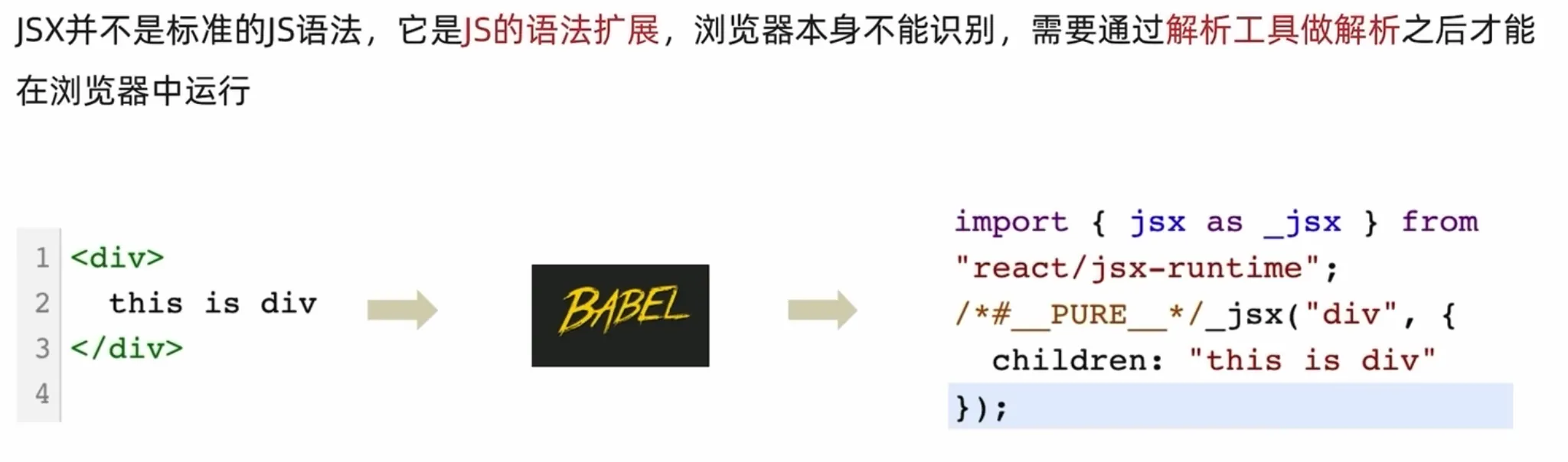
JSX的本质
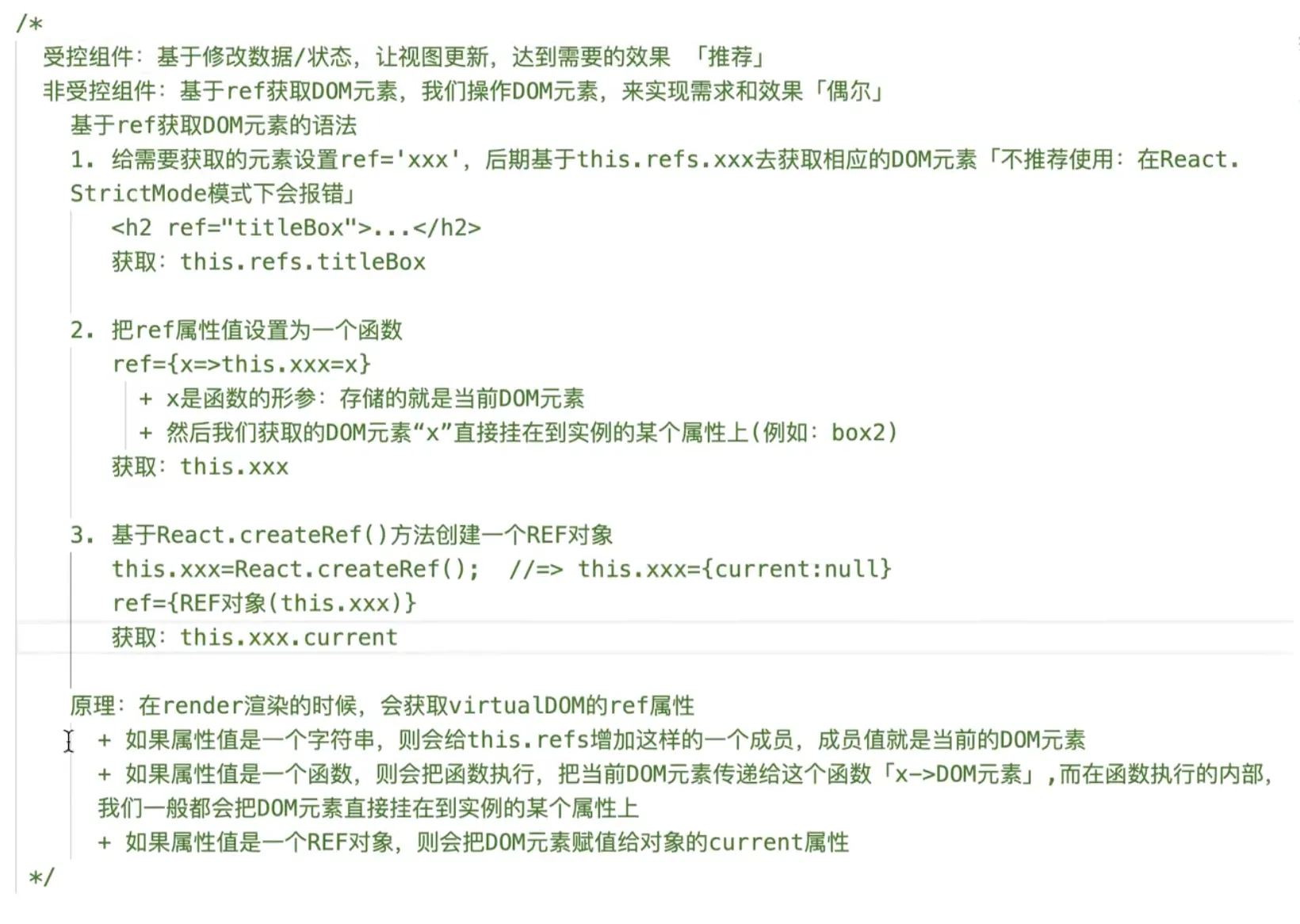
受控组件和非受控组件
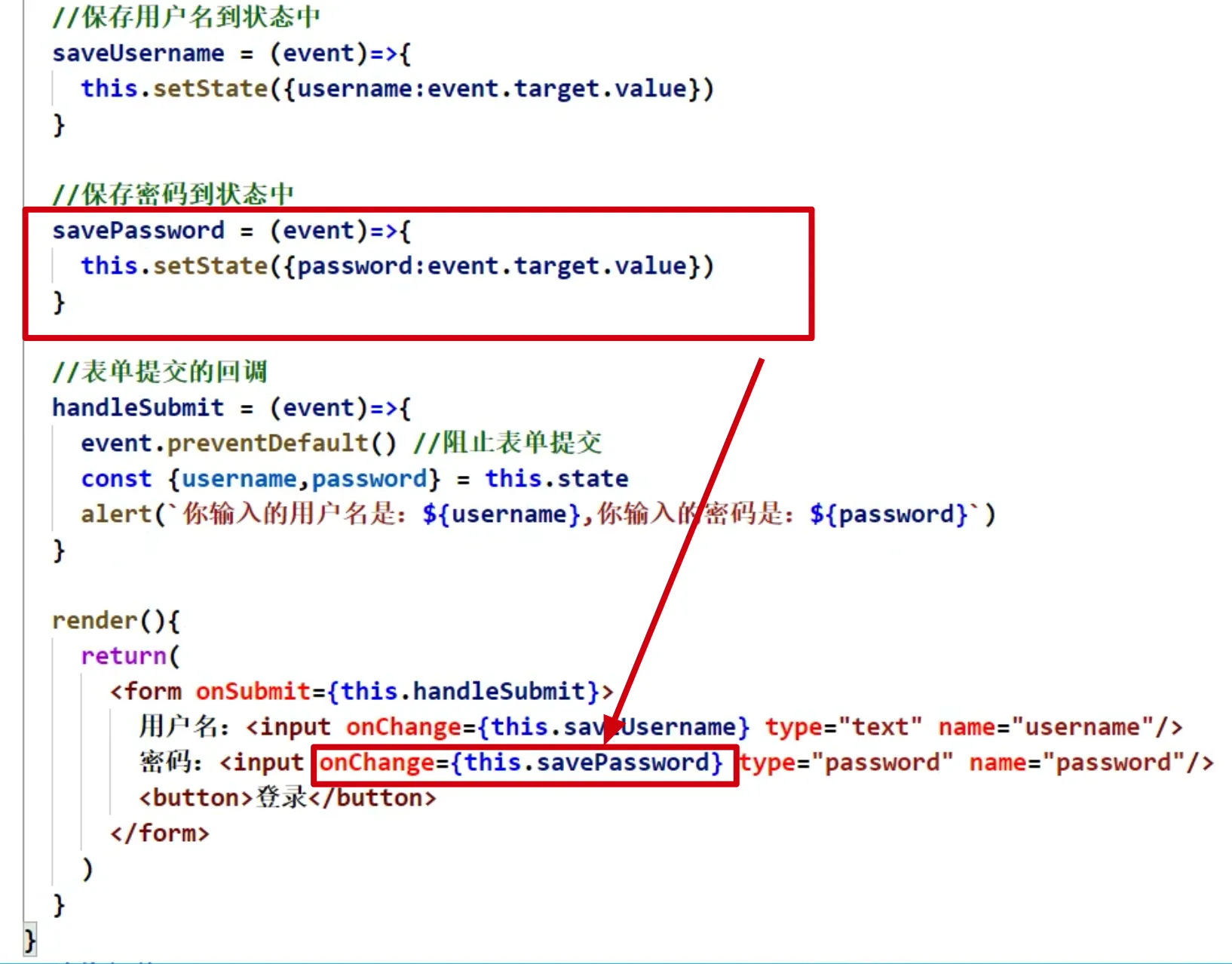
受控组件
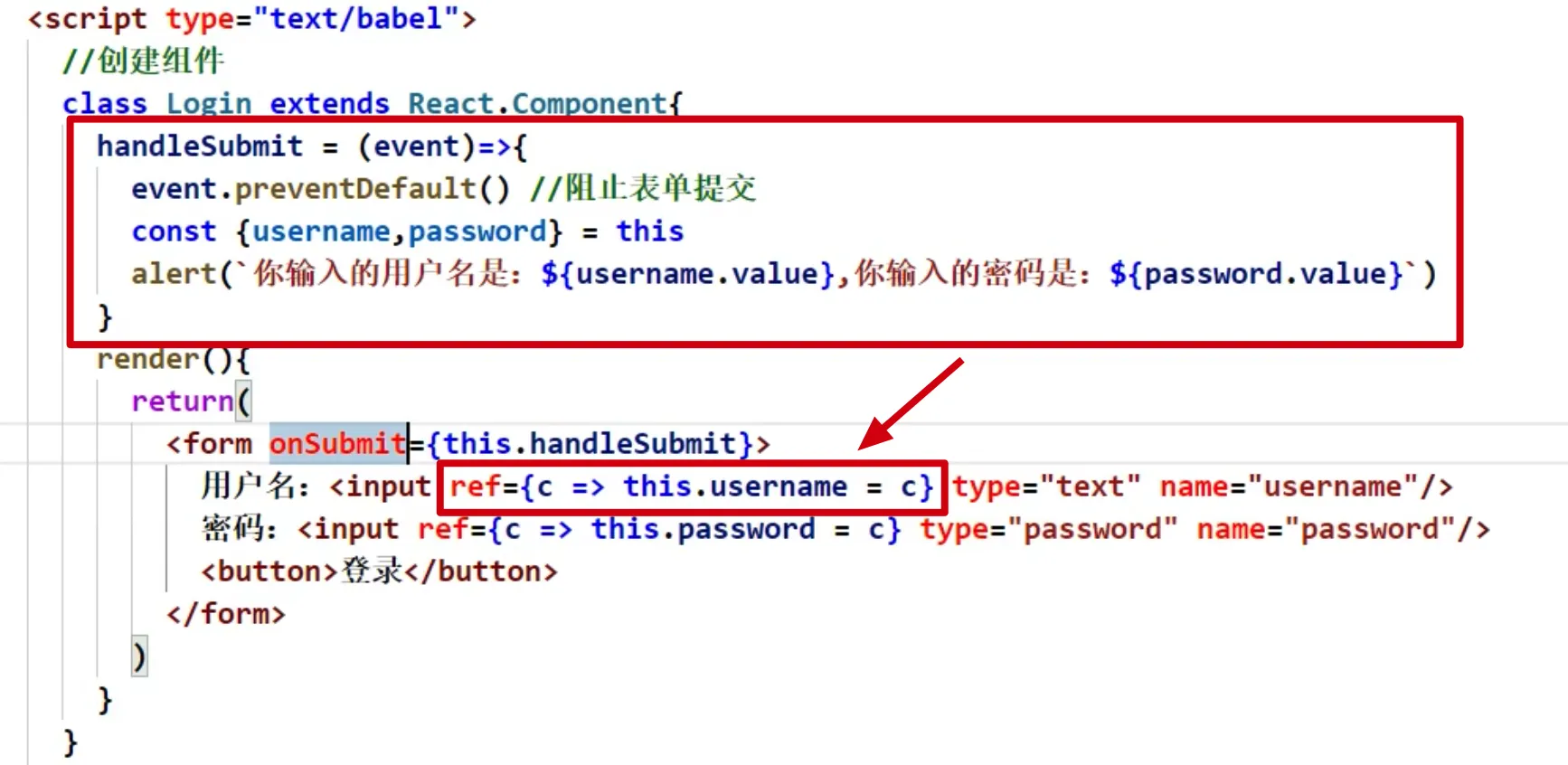
非受控组件
生命周期(旧)
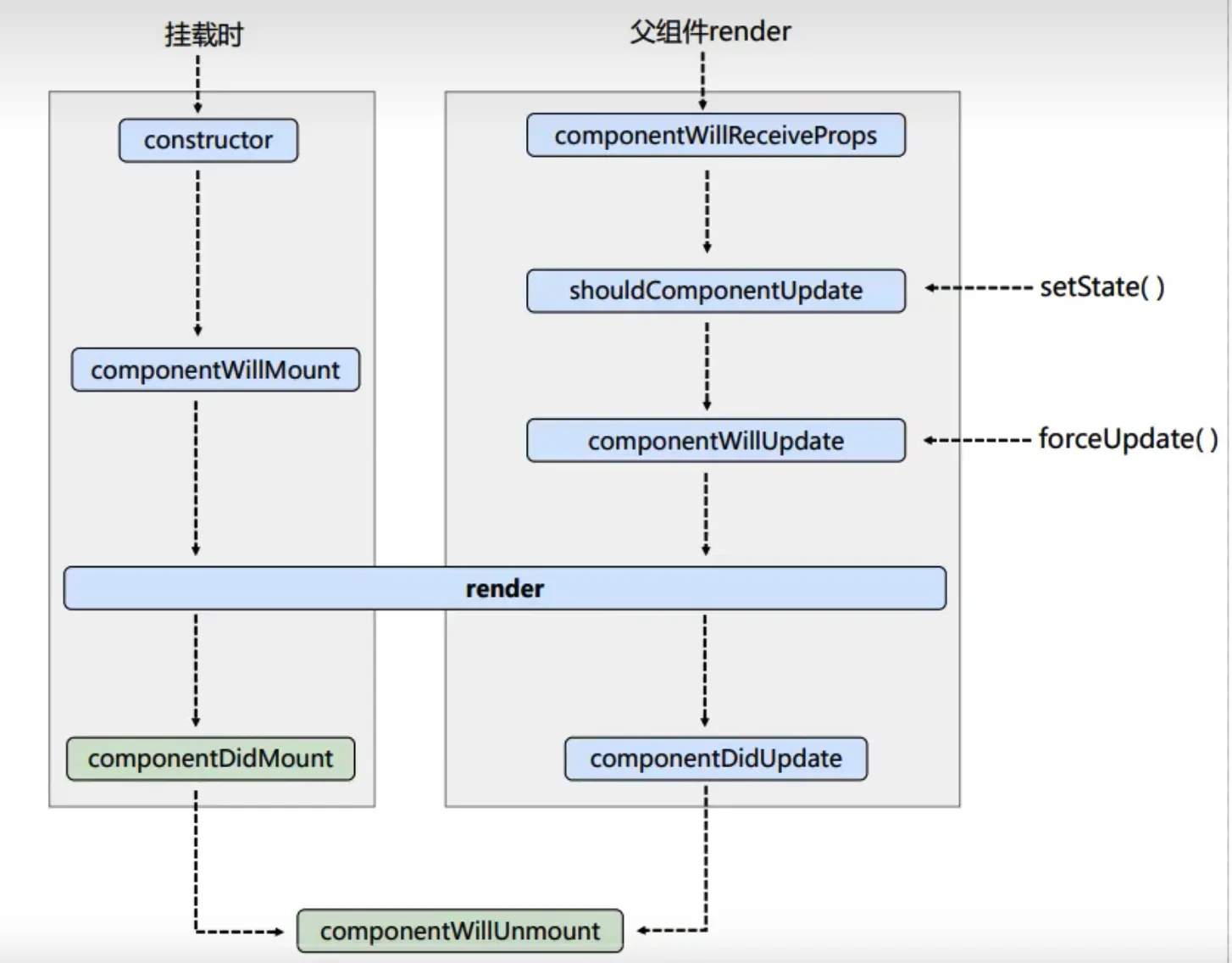
import { Component } from "react";

export default class Example extends Component{
  constructor(props){
    super(props)
    console.log("constructor ==> 第1个被执行")
  }
  UNSAFE_componentWillMount(){
    console.log("UNSAFE_componentWillMount ==> 第2个被执行")
  }
  componentDidMount(){
    console.log("componentDidMount ==> 第4个被执行")
  }
  render(){
    console.log("render ==> 第3个被执行")
    return <>测试生命周期函数</>
  }
}
import { Component } from "react";
export default class Example extends Component {
state = {
name: "来自父组件"
}
hanldClick = ()=>{
this.setState({
name:"我是被父组件修改的数据"
})
}
render() {
return (
<>
<div>我是父组件</div>
<button onClick={this.hanldClick}>我要修改子组件的数据</button>
<br></br>
<B name={this.state.name}></B>
</>
);
}
}
class B extends Component {
componentWillReceiveProps(){
console.log("componentWillReceiveProps ==> 被执行")
}
// 控制组件更新的阀门
shouldComponentUpdate(){
console.log("shouldComponentUpdate ==> 被执行")
return true
}
//组件将要更新的钩子
componentWillUpdate(){
console.log("componentWillUpdate ==> 不改变状态强制更新")
}
// 组件强制更新
hanldClick = () =>{
this.forceUpdate()
}
render() {
return <>
<h2>我是子组件下面的数据</h2>
<div>{this.props.name}</div>
<button onClick={this.hanldClick}>强制更新</button>
</>;
}
}生命周期(新)
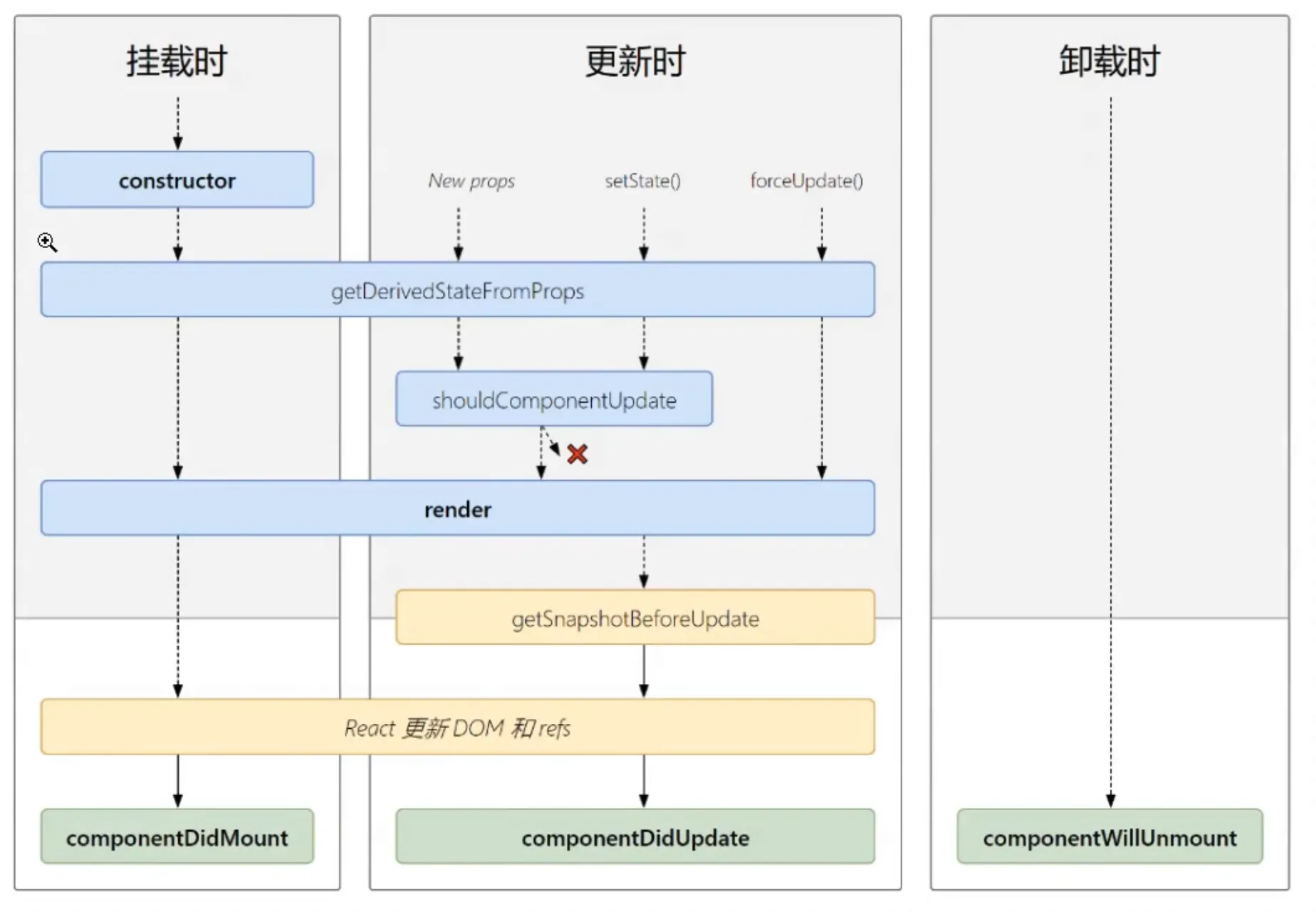
深度学习
Es6 中 class 语法和继承
ref 的使用
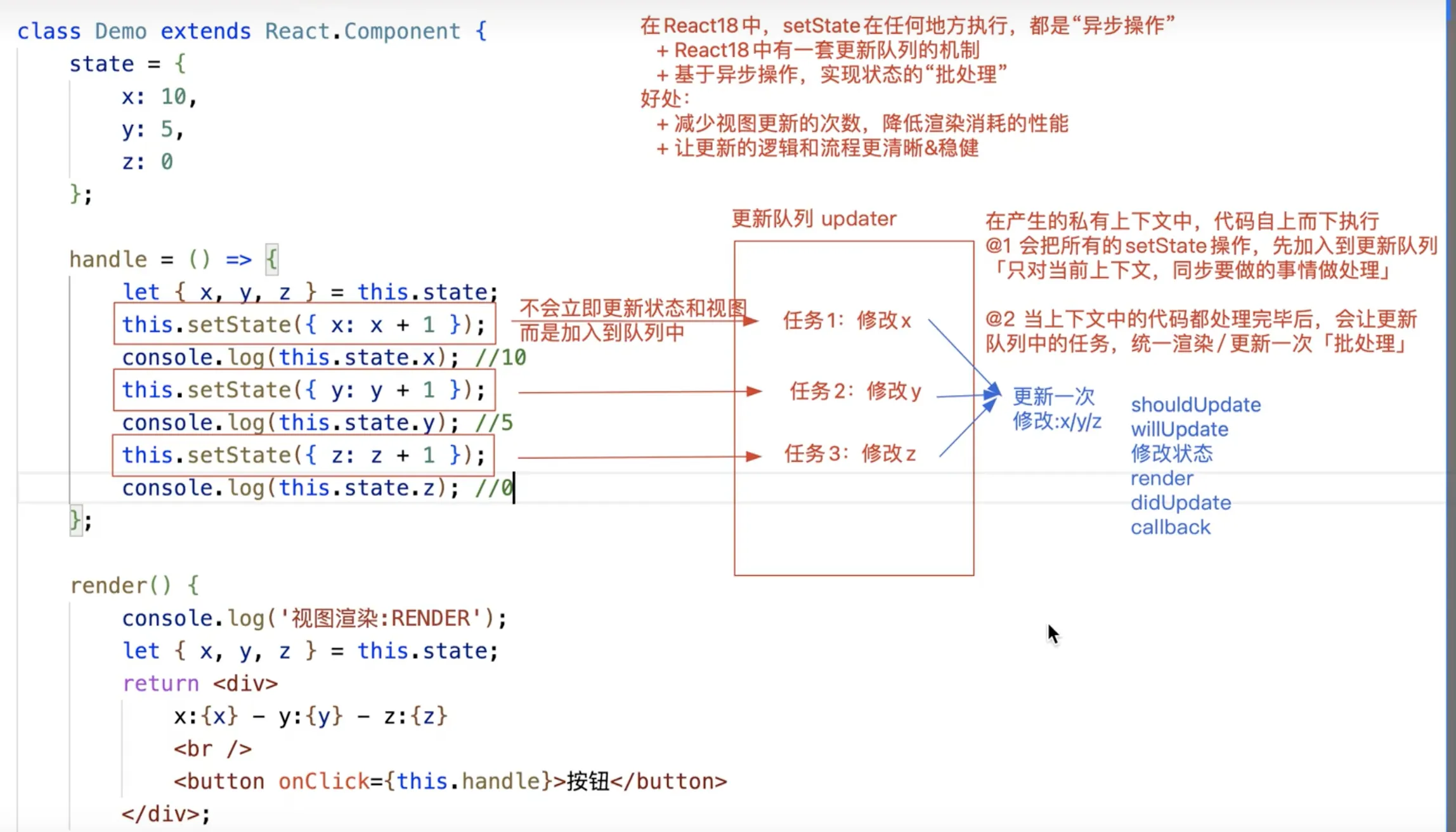
setstate 方法
异步执行